
Future-Ready Tech CurriculumLed by IIT · IIM AlumniAI Future SkillsLive AI ProjectsRecognized CertificationCareer GuidanceVirtual LabsAI ResumeAI InterviewerSmart ClassroomIn App Coding Environment
Coding Pro Academy Robotics

Robotics Classes for Kids in Surat

Give your child the power to imagine, build and innovate.

Explore hands-on robotics, electronics, coding and automation through practical projects designed for students from Grade 1 to Grade 8 at Coding Pro Academy.

  • Grades 1–8
  • Offline classes in Surat
  • Project-based learning
Coding Pro Academy's AI & Robotics Lab in Surat, with robotic arms, robot car models and robotics kits on the student workstations
What students will learn

Discover the World of Robotics

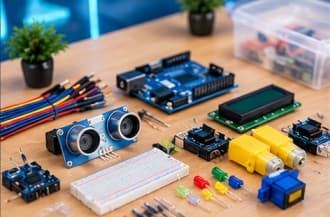
  • Electronics & Circuits

    Explore electronic components, circuits and basic electrical concepts.

  • Coding & Logic

    Learn programming concepts, sequencing, conditions and problem-solving.

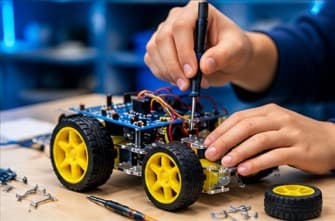
  • Robotics & Building

    Assemble models and understand motors, mechanisms and robotic systems.

  • Sensors & Automation

    Explore how sensors and controllers can respond to their surroundings.

  • Creative Problem-Solving

    Design, test, troubleshoot and explain practical projects.

Robotics classes for Grades 1–8

A Robotics Journey That Grows With Your Child

Eight grade-level programs, grouped into four stages. Each grade builds on the skills from the one before.

  1. Stage 1Grades 1–2

    Explore

    Paper circuits, LEDs, basic electronics and simple motor-based activities.

    • Grade 1

      Robotics Explorer

      2 months · 30 classes · 3 major projects

    • Grade 2

      Young Inventor

      2 months · 30 classes · 3 major projects

  2. Stage 2Grades 3–4

    Create

    Arduino introduction, coding logic, sensors and basic automation.

    • Grade 3

      Junior Maker

      2 months · 30 classes · 3 major projects

    • Grade 4

      Robotics Beginner

      3 months · 35 classes · 3–4 major projects

  3. Stage 3Grades 5–6

    Build & Engineer

    Programming, smart systems, motors, Bluetooth communication and robotics.

    • Grade 5

      Robotics Builder

      3.5 months · 40 classes · 4 major projects

    • Grade 6

      Robotics Engineer

      3.5 months · 40 classes · 4 major projects

  4. Stage 4Grades 7–8

    Innovate

    Sensor integration, advanced robotic systems, automation and autonomous robot projects.

    • Grade 7

      Advanced Robotics

      3.5 months · 40 classes · 5 major projects

    • Grade 8

      Robotics & Automation

      3.5 months · 40 classes · 5 major projects

Course duration, the number of practical sessions and project completion may vary slightly depending on the academic calendar and the learning pace of the batch.

Practical robotics projects

Ideas That Come to Life

A few examples of the working models students build as they progress through the program.

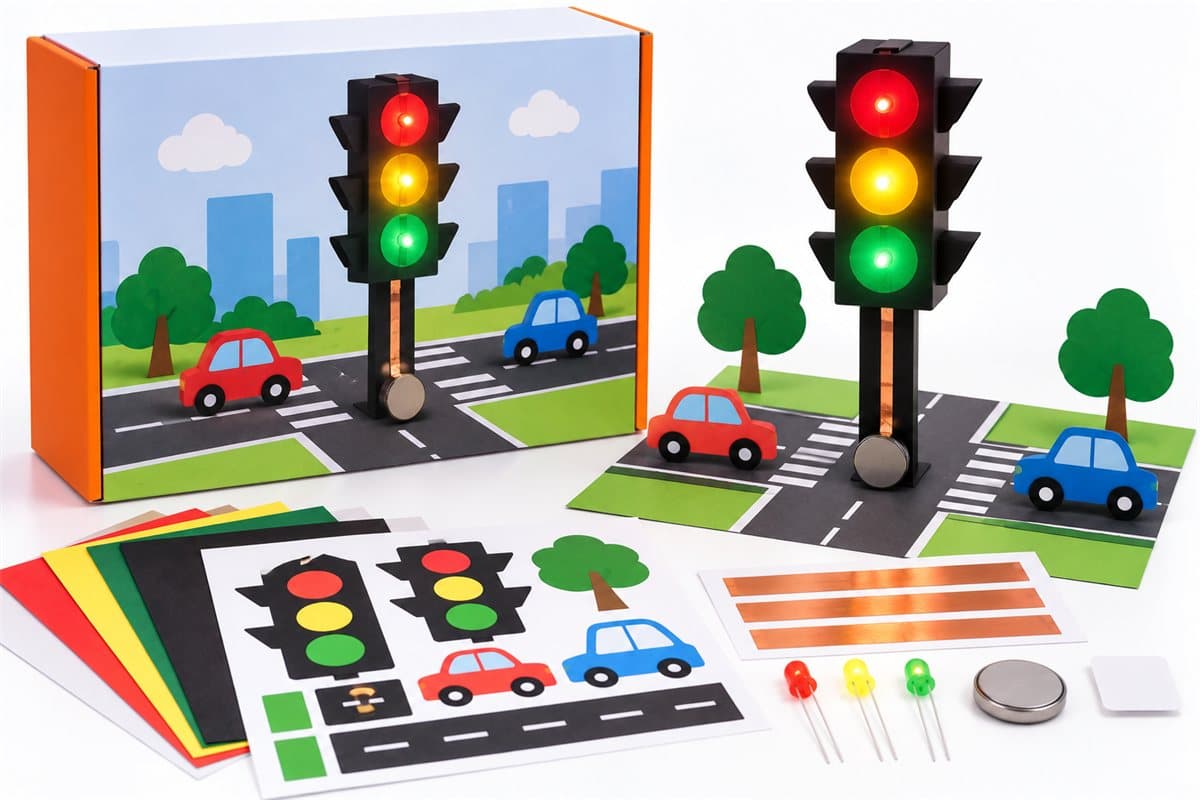
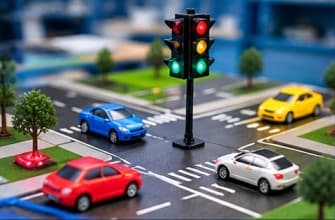
  • Paper-circuit traffic signal model glowing red, yellow and green on a paper road scene, with the kit's craft sheets, LEDs and copper tape

    Traffic Signal (Paper Circuit)

    A fun paper-circuit project where students create a working traffic signal using red, yellow, and green LEDs.

  • Automatic door model with sliding blue doors, an ultrasonic sensor above the doorway and an Arduino board mounted on the side

    Automatic Door

    An Automatic Door is a smart system that automatically opens and closes a door when a person comes near it.

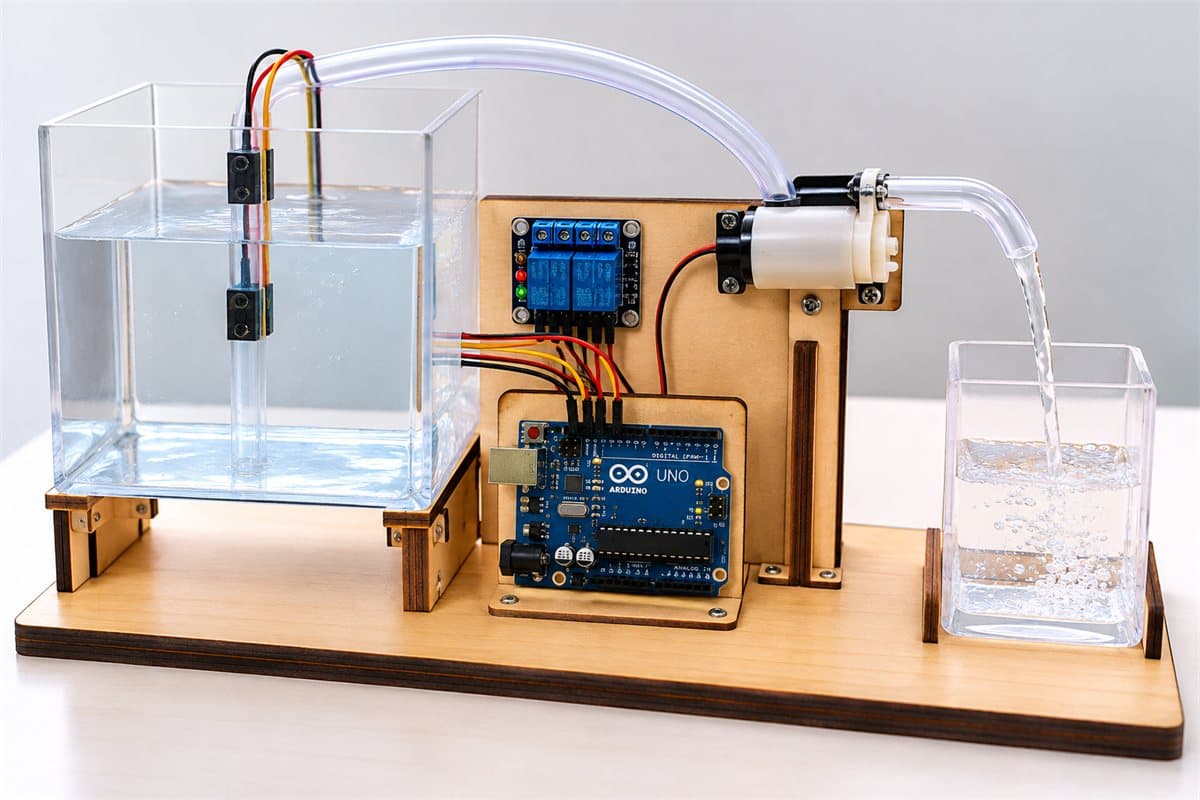
  • Automatic water filler model: a water tank with level sensors, a small pump and an Arduino board filling a glass container

    Automatic Water Filler

    A smart water-filling system that automatically detects the water level and controls a pump to fill the container without overflow.

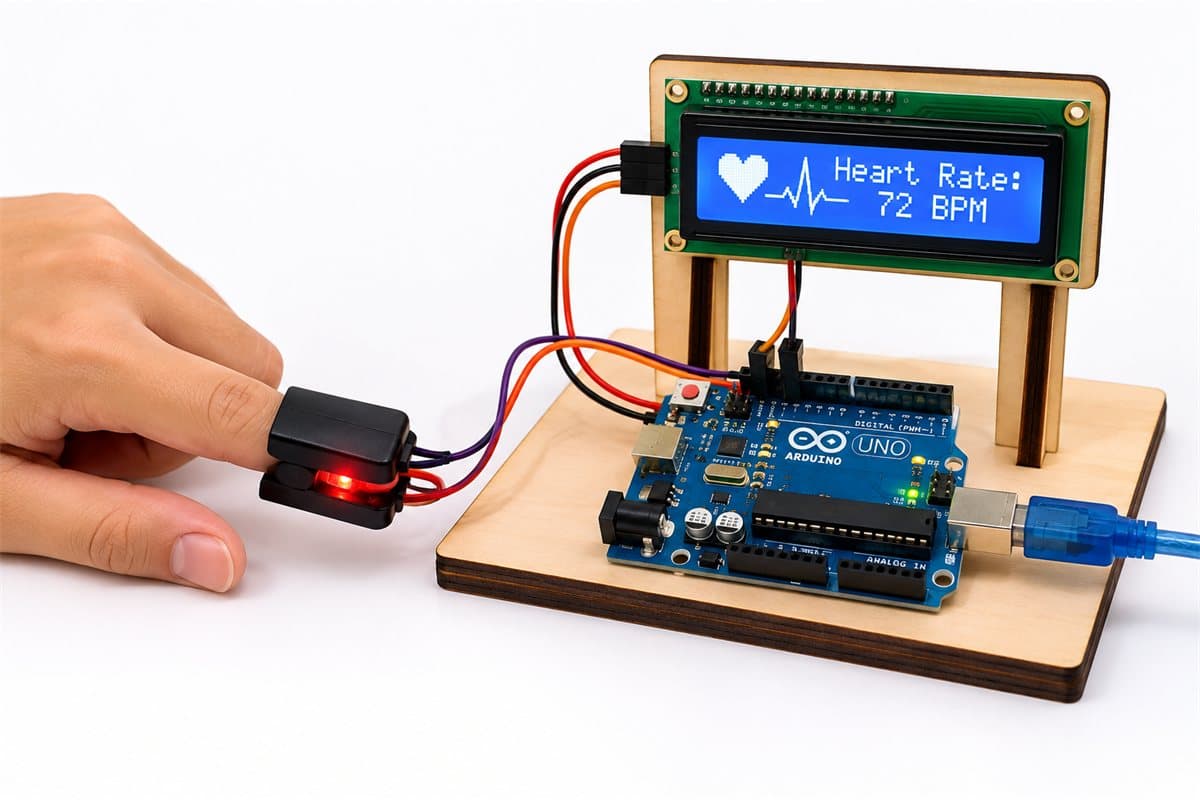
  • Fingertip pulse sensor wired to an Arduino board, with an LCD screen showing the heart rate in BPM

    Arduino Heart Pulse Rate System

    A hands-on health-monitoring project that uses Arduino and a pulse sensor to measure and display heart rate in beats per minute (BPM).

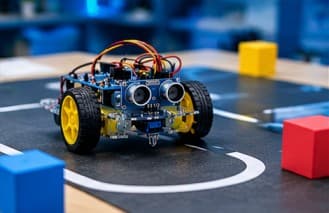
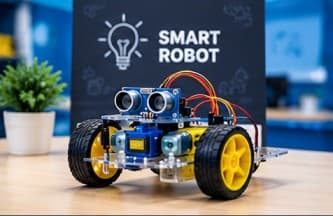
  • Two-wheeled robot car on a clear acrylic chassis with an ultrasonic sensor at the front and a controller board on top

    Obstacle Avoiding Robot Car

    An autonomous robotic car that detects obstacles in its path and automatically changes direction to avoid collisions.

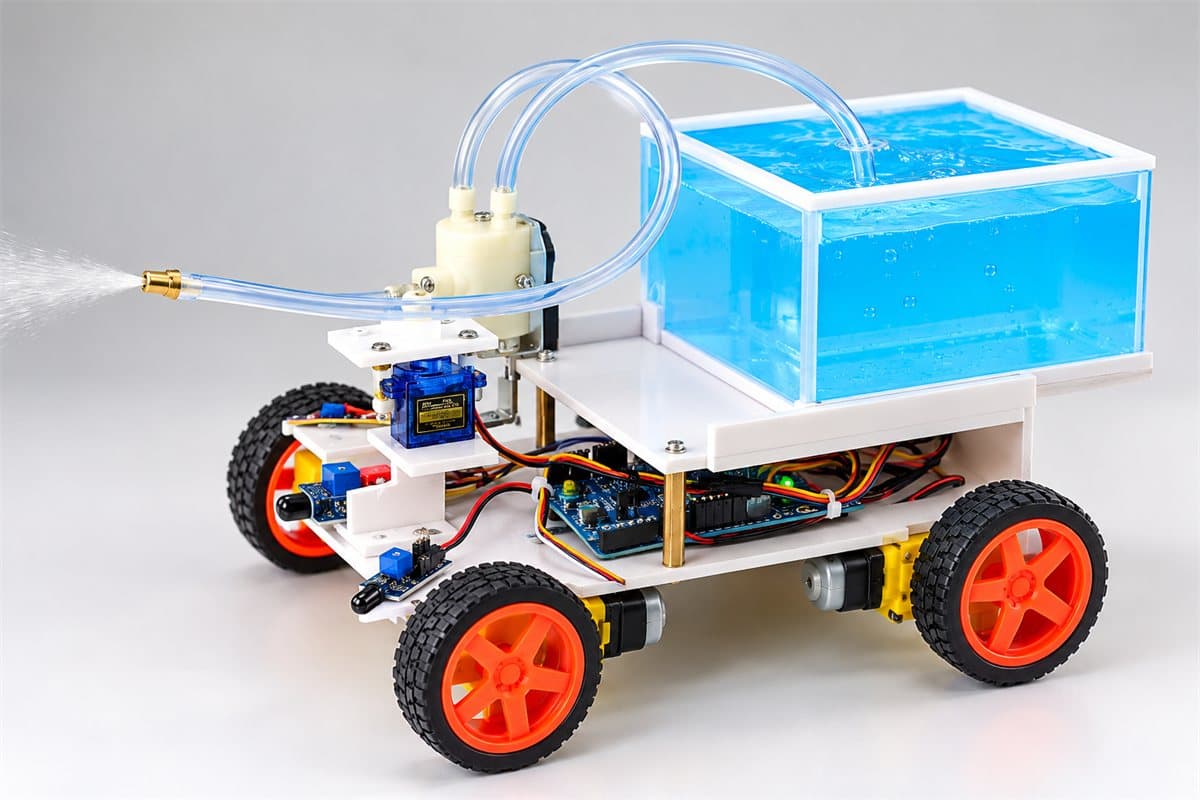
  • Four-wheeled fire fighter robot carrying a water tank, with a pump and spray nozzle mounted at the front

    Fire Fighter Robot

    An autonomous robot designed to detect a fire and move toward it while activating a water pump to extinguish the flame.

Example projects, with images from the Coding JR Store. The projects a student builds depend on their grade level and batch progress.

Project-based learning

Learn. Build. Test. Improve.

Every project follows the same practical cycle, so students learn how to work through a problem from start to finish.

  1. Coding Pro Academy - Start with the real-world problem the project solves.

    Understand the problem

    Start with the real-world problem the project solves.

  2. Coding Pro Academy - Identify the sensors, motors and electronic parts required.

    Explore the components

    Identify the sensors, motors and electronic parts required.

  3. Coding Pro Academy - Understand the circuit and how the system should work.

    Design the solution

    Understand the circuit and how the system should work.

  4. Coding Pro Academy - Assemble the circuit and the working model.

    Build the model

    Assemble the circuit and the working model.

  5. Coding Pro Academy - Program the controller, where the project needs it.

    Write & upload code

    Program the controller, where the project needs it.

  6. Coding Pro Academy - Check that the working model behaves as expected.

    Test the model

    Check that the working model behaves as expected.

  7. Coding Pro Academy - Find what isn't working and make it better.

    Troubleshoot & improve

    Find what isn't working and make it better.

  8. Coding Pro Academy - Explain the project, its components and how it works.

    Present & explain

    Explain the project, its components and how it works.

Why Coding Pro Academy?

More Than Learning Technology

  • Hands-on practical learning

  • Grade-appropriate learning progression

  • Electronics, coding and robotics in one learning journey

  • Working models and real-world applications

  • Logical thinking and creative problem-solving

  • Testing, troubleshooting and project presentation

Parents & schools

Bringing Robotics Education to More Students

For parents

Find the right robotics program for your child

Tell us your child's grade and we'll help you understand the suitable grade-level program, what they'll learn, the course duration, fees and upcoming batches.

  • Grade-level program and learning topics
  • Course duration and class schedule
  • Fees and upcoming batches

For schools in Surat

Robotics Workshops for Schools

Bring hands-on robotics learning to your school with Coding Pro Academy. We have successfully conducted a 40-day robotics workshop at Geneva School, giving students the opportunity to explore robotics through practical, engaging activities.

Planning a robotics workshop for your school? Contact us to discuss your requirements and explore the possibilities.

Prefer to talk? Call +91 92134 13571 or send us a message. Older learners interested in connected devices can also explore our Internet of Things course.

FAQs

Frequently Asked Questions

Which grades can join robotics classes at Coding Pro Academy?

Robotics classes are designed for students from Grade 1 to Grade 8. Each grade has its own program level — from Robotics Explorer in Grade 1 to Robotics & Automation in Grade 8 — so the difficulty matches your child's learning stage.

Does my child need previous coding or robotics experience?

The Grade 1 program starts from the basics — what a robot is, simple circuits and paper-based activities — and each grade builds on the one before it. If your child is joining at a higher grade level, share their grade and any previous experience with our team and we can help you understand the most suitable program.

What will students learn in robotics classes?

Students learn electronics and circuits, coding and logic, sensors, motors and automation through practical projects. From Grade 3 onwards they work with Arduino, and older grades move on to Bluetooth communication, multiple-sensor systems and autonomous robots.

How long does each grade-level program take?

Grades 1–3 are 2 months (30 classes), Grade 4 is 3 months (35 classes), and Grades 5–8 are 3.5 months (40 classes) each. Durations and the number of practical sessions may vary slightly depending on the batch's learning pace and the academic calendar.

Will students build practical projects?

Yes. Every grade level includes 3 to 5 major projects, depending on the grade — for example a traffic light, an automatic door, a Bluetooth-controlled car or an obstacle-avoiding robot. Project completion can vary with each student's learning speed and batch progress.

Will students receive a certificate of completion?

Students who successfully complete the required classes and practical projects receive a certificate of completion from Coding Pro Academy that mentions their grade and program level.

What are the course fees and robotics material charges?

Course fees and robotics kit or material charges depend on your child's grade and program level, as kit requirements vary by grade. Please enquire on WhatsApp or contact our team for current fees and upcoming batch details.

How can a school enquire about a robotics program?

Schools interested in a robotics workshop or program for their students can message us on WhatsApp or reach us through our contact page. Our team will understand your requirements and share the relevant details.

Ready to Build Something Amazing?

Help your child discover robotics through practical learning, creativity and hands-on projects.

Tell us your child's grade, and our team can help you understand the suitable program, course fees and upcoming batches.